


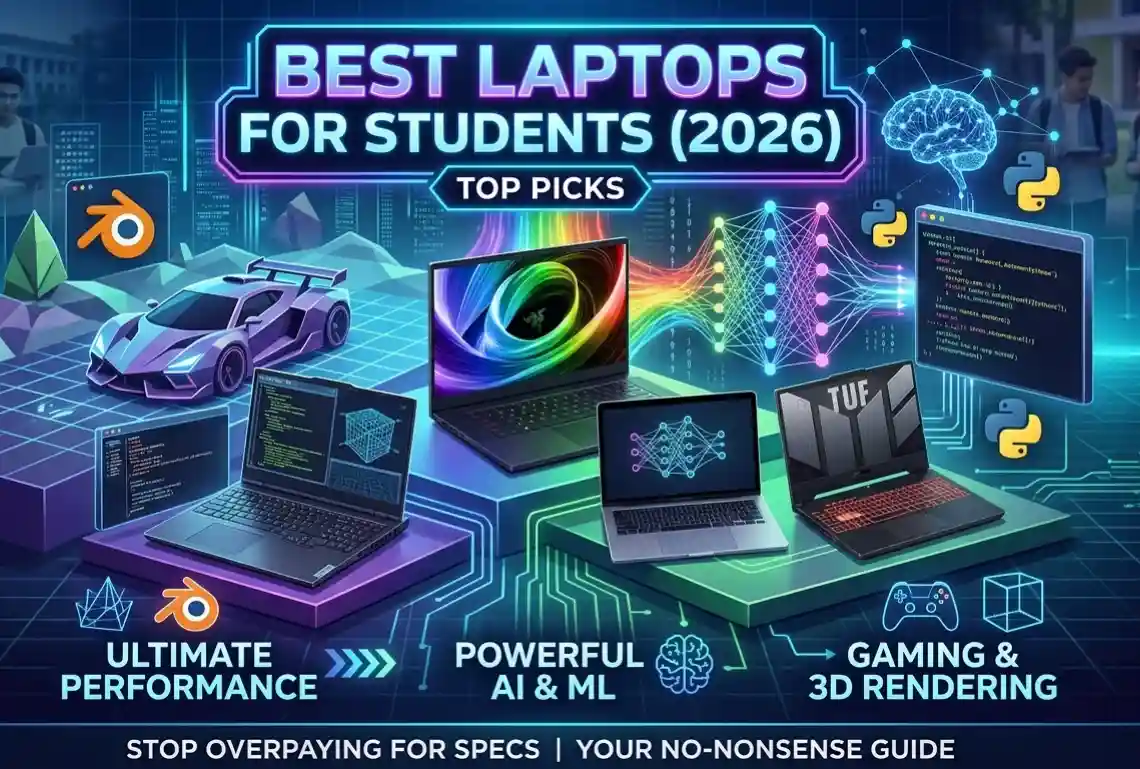
Best Laptops for students -Gaming, AI, ML, and Blender: Stop Overpaying for Specs — The Ultimate Student Guide (2026)
In 2026, a student’s laptop is no longer just a digital notebook; it is a high-performance laboratory. If you are pursuing a degree in Data Science, Computer Science, or 3D Design, you are dealing with the “Triple Threat” of computing: Artificial Intelligence (AI), Machine Learning (ML), and 3D Rendering (Blender).
Standard laptops will choke under these workloads. To succeed, you need a beast of a machine that balances raw graphical power with thermal efficiency.
This guide cuts through the marketing fluff to help you pick a future-proof laptop that will last through your graduation and beyond.
Why Hardware Matters for Modern Students
If you’re training a Large Language Model (LLM) or rendering a 4K scene in Blender, your computer is performing billions of calculations per second. A weak laptop will not just be slow—it will overheat, throttle its performance, and eventually crash.
The Role of the GPU in AI and ML
While the CPU is the “brain,” the GPU (Graphics Card) is the “muscle.” For AI and Machine Learning, the GPU handles the heavy mathematical lifting. In 2026, an NVIDIA RTX 50-series card is the gold standard because of its dedicated Tensor Cores, which are designed to accelerate AI workloads and render times in Blender.
Best Laptops for Students: 2026 Comparison
| Laptop Model | Processor (CPU) | Graphics (GPU) | RAM (Recommended) | Best For |
| ASUS ROG Strix SCAR 16 | Intel Core Ultra 9 | RTX 5080 (16GB) | 32GB DDR5 | Elite Performance |
| Lenovo Legion Pro 7i | Intel Core i9-14900HX | RTX 5070 (12GB) | 32GB DDR5 | Best Cooling |
| ASUS TUF Gaming A15 | Ryzen 9 8945HS | RTX 4070/5060 | 16GB (Upgradable) | Ultimate Value |
| Razer Blade 14 | Ryzen 9 8945HS | RTX 5070 (12GB) | 32GB DDR5 | Portability |
| MacBook Pro 16 (M5) | Apple M5 Max | 40-Core GPU | 48GB Unified | Data Science/Battery |
Here is the breakdown of the Pros and Cons for the top 2026 student laptop models. This will help you decide which trade-offs you are willing to make for your AI, ML, and gaming needs.
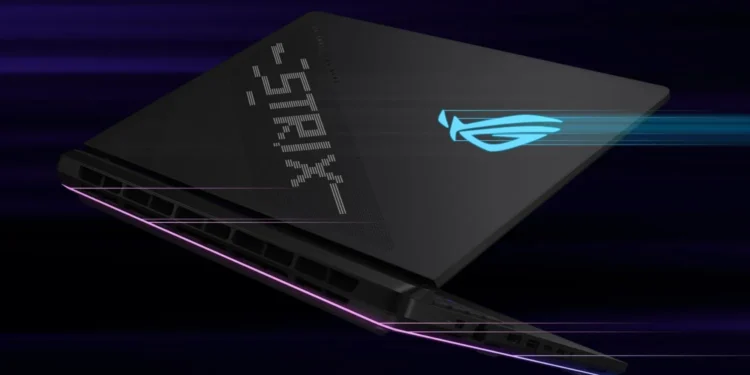
1. ASUS ROG Strix SCAR 16
The “No-Compromise” Powerhouse
Pros:
Desktop-Level Power: Uses the highest wattage components available, meaning you get the fastest possible AI training and render times.
ADVERTISEMENTNebula HDR Display: Incredible color accuracy for Blender and video editing.
Future-Proof: The RTX 5080/5090 options offer enough VRAM (up to 24GB) to run heavy LLMs locally.
ADVERTISEMENT
Cons:
Expensive: One of the priciest laptops on the market.
Bulky: It’s thick and heavy; you’ll definitely feel it in your backpack.
Short Battery Life: Don’t expect to go more than 3-4 hours without a charger.
2. Lenovo Legion Pro 7i
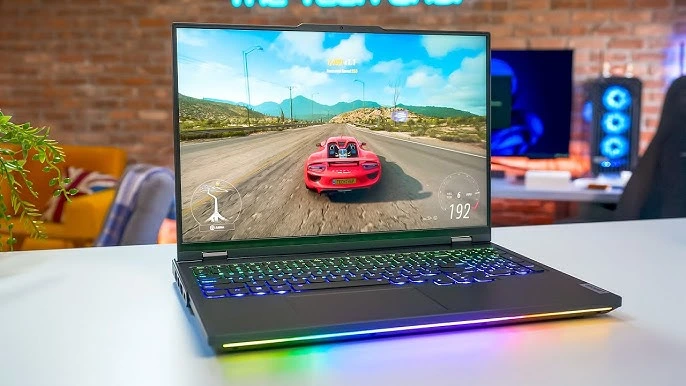
The Reliable Workhorse
Pros:
Best-in-Class Cooling: Lenovo’s “Coldfront” technology keeps the laptop quiet and cool even during 10-hour AI training sessions.
Professional Aesthetic: Doesn’t look like a “flashy” gaming laptop; perfect for internships or office environments.
Tactile Keyboard: Widely considered the best keyboard for coding and long assignments.
Cons:
Heavy Power Brick: The laptop is manageable, but the charger is massive and heavy to carry.
Average Webcam: Not the best for high-quality remote presentations or calls.
3. ASUS TUF Gaming A15
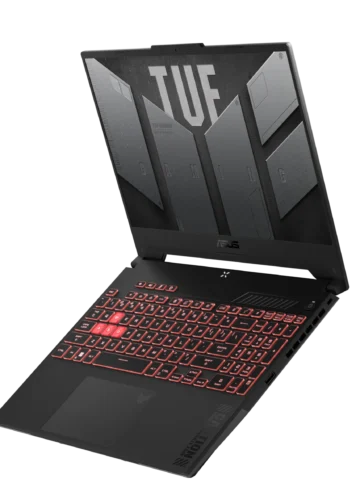
The Budget King
Pros:
Value for Money: You get high-end internals (Ryzen 9 + RTX 4070/5060) at a fraction of the cost of premium brands.
Military-Grade Durability: Built to survive bumps and drops, making it ideal for rough daily campus use.
Upgrade Friendly: Very easy to pop open and add more RAM or a second SSD as your projects grow.
Cons:
Screen Brightness: The display isn’t as bright or color-accurate as the ROG or Legion series.
Plastic Build: It feels more “plasticky” compared to the premium aluminum models.
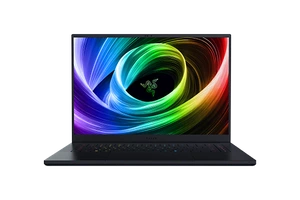
4. Razer Blade 14
The Portability King
Pros:
Ultra-Portable: As thin as a MacBook but packs a full-power gaming GPU.
Premium Build: CNC aluminum chassis feels incredibly high-end and sturdy.
USB-C Charging: Supports charging via smaller power banks, great for quick top-ups in class.
Cons:
The “Razer Tax”: You pay a significant premium for the slim design and brand name.
Heat: Because it is so thin, it can get very hot to the touch during heavy Blender renders.
Limited RAM Upgrades: Some models have soldered RAM, so you must choose your specs wisely at purchase.
5. MacBook Pro 16 (M5 Max)
The Efficiency Expert
Pros:
Insane Battery Life: Can easily last 15-20 hours on a single charge—unheard of in the Windows gaming world.
Unified Memory: The way Apple handles RAM allows it to run certain AI models more efficiently than Windows PCs with less memory.
Silent Performance: Stays remarkably quiet even under heavy coding loads.
Cons:
Gaming Gap: Many top-tier games and some specific Blender plugins are still not optimized for Apple Silicon.
No Upgrades: Once you buy it, you can never add more RAM or storage. You are stuck with what you paid for.
Software Compatibility: Some specialized ML libraries still require a bit of “hacking” to work perfectly on macOS compared to Linux or Windows.

How to Choose: The “Student Success” Spec Sheet
1. The Graphics Card (GPU) is Non-Negotiable
Don’t settle for integrated graphics. For AI, ML, and Blender, you must have a dedicated GPU.
For AI/ML: Look for high VRAM (Video RAM). The more VRAM you have, the larger the datasets you can process locally. Aim for at least 12GB.
For Blender: NVIDIA’s CUDA cores are the industry standard. Most rendering plugins are optimized specifically for NVIDIA hardware.
2. Memory (RAM): Don’t Get Bottlenecked
In 2026, 16GB of RAM is the bare minimum for basic tasks. However, if you are running a virtual machine, training a neural network, and having 50 Chrome tabs open for research, 32GB of RAM is the essential sweet spot.
3. The CPU: Look for the “H.”
When browsing, look for processors ending in “H” or “HX”. These letters signify high-voltage, high-performance chips. Avoid “U” or “P” series processors, as they are designed for power saving and will struggle with heavy Python scripts or 3D viewport rendering.
Local Performance: Why Students in Delhi NCR Prefer These
For students in tech hubs like Ghaziabad and Delhi NCR, power stability and heat are real factors. Laptops like the Lenovo Legion and ASUS TUF series are highly recommended because of their robust dual-fan cooling systems, which prevent thermal throttling during the intense summer months while you’re crunching data.
Frequently Asked Questions (FAQ)
Q1: Can I use a MacBook for Machine Learning?
Answer: Yes, Apple’s M5 Max chips are incredible for AI inference (running models) due to their Unified Memory. However, for training models and gaming, Windows-based laptops with NVIDIA GPUs still hold the edge in software compatibility.
Q2: Is it worth buying an older RTX 40-series laptop?
Answer: If you are on a strict budget, an ASUS TUF A15 with an RTX 4070 is still a powerhouse in 2026. It will handle Blender and student-level ML tasks perfectly fine for a much lower price.
Q3: How much storage do I need?
Answer: AI datasets and 4K video projects take up massive space. Aim for a 1TB NVMe SSD at a minimum. Ensure your laptop has an extra slot so you can add another drive later.
Final Verdict
For the Power User: If money is no object, the ASUS ROG Strix SCAR 16 is the most dominant machine on the market.
For the Budget-Conscious: The ASUS TUF Gaming A15 is the smartest investment for any student. It offers the performance of a high-end rig at a price point that respects a student’s budget.
Stop overpaying for marketing fluff—buy for the specs that actually finish your work.