

5 Blazing-Fastest External SSDs in 2026 That Outrun Your Internal Storage
Choosing the right external SSD in 2026 doesn’t have to be a headache. If you’ve ever felt like your computer is “crawling” while moving photos or your laptop is running out of space for games, these drives are the solution.
Here is a simplified breakdown of the top-rated drives and why they actually matter for you.
1. The “Old Reliable” (Best Overall)- Fastest external SSDs
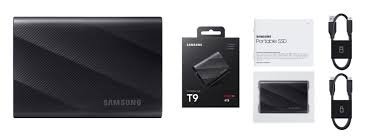
Samsung T9
Rating: ★★★★.8
Think of this as the “Toyota Camry” of SSDs. It’s not the fastest, but it works every single time without getting too hot.
The Layman’s Why: Have you ever noticed your phone or laptop getting hot and then starting to lag? This drive has “Dynamic Thermal Guard,” which is just a fancy way of saying it has its own internal cooling system. It stays fast even if you’re moving thousands of vacation photos at once.
Key Stat: It moves a 50GB movie in about 25 seconds.
|
2. The “Bodyguard” (Best for Safety)
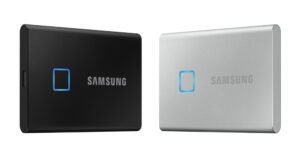
Samsung T7 Touch
Rating: ★★★★.7
If you carry sensitive work files or personal tax documents, this is the one.
The Layman’s Why: It has a fingerprint scanner right on the case. Just like unlocking your phone, you tap the drive to “open” your files. If someone steals the drive, they can’t see your data without your finger or a master password.
Key Stat: Credit card-sized security that fits in your pocket.
3. The “Tank” (Best for Outdoors/Travel)
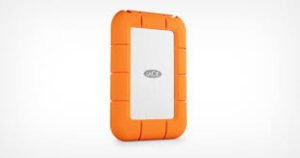
LaCie Rugged SSD4 (USB4)
Rating: ★★★★.9
LaCie drives are famous for their bright orange rubber bumpers. They are built for people who are a bit “clumsy” or who work outside.
The Layman’s Why: It is “Adventure Proof.” You can drop it in a puddle, leave it in the rain, or accidentally drop it out of your backpack, and your files will be fine. Plus, it uses “USB4,” which is the newest, fastest connection available in 2026.
Key Stat: Can survive being crushed by a small car (though we don’t recommend trying!).
4. The “Mini-Monster” (Best for Space)
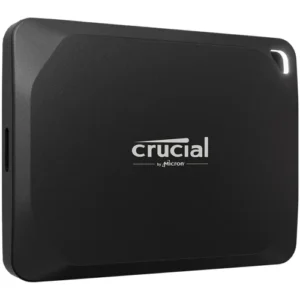
Crucial X10 Pro
Rating: ★★★★.5
This is the choice if you have a ton of stuff (like a massive 4K movie collection) but don’t want to carry a bulky device.
The Layman’s Why: It’s roughly the size of a matchbox but can hold up to 8TB of data. To put that in perspective, that’s enough room for about 2 million high-quality photos. It’s tiny, light, and plugs into almost anything.
Key Stat: Moves data at 2,100 MB/s—nearly 20x faster than those old clicking “hard drives” we used to use.
Quick Comparison: Which one do you need?
| If you are a… | Buy this Drive | Because… |
| Gamer / Editor | Samsung T9 | It stays cool and fast during long hours. |
| Traveler / Hiker | LaCie Rugged | It won’t break if you drop it or get it wet. |
| Office Worker | Samsung T7 Touch | Your private files stay private with your fingerprint. |
| Heavy Downloader | Crucial X10 Pro | It holds the most “stuff” in the smallest size. |
One Pro-Tip for 2026:
Check your laptop port! If your laptop has a Thunderbolt or USB4 port (usually marked with a small lightning bolt ⚡ symbol), you should get the LaCie or Samsung T9 to get the absolute maximum speed you paid for. If you use a regular USB-C port, the Crucial or T7 will be plenty fast!
FAQ
What is the difference between USB-C, USB4, and Thunderbolt?
Think of these like lanes on a highway.
USB-C is the shape of the plug.
USB4 and Thunderbolt are the “speed limits.” In 2026, USB4 allows for speeds up to 4,000 MB/s, which is roughly 4x faster than the standard USB-C drives from a few years ago.
Do I need a special cable for my 2026 SSD?
Yes. To get the “Top Rating” speeds mentioned above, you must use the cable that came in the box. A cheap charging cable from a convenience store will fit the hole, but it will move data at a snail’s pace.
Can I run games directly off an external SSD?
Absolutely. Because 2026 SSDs like the Samsung T9 or LaCie Rugged are so fast, you can install your Steam or Epic Games library directly onto the drive and play them without any lag or extra loading time.
Is an 8TB SSD worth the extra cost?
It depends on your “digital footprint.”
1TB to 2TB: Plenty for most people’s photos, documents, and a few games.
4TB to 8TB: Necessary if you are a professional videographer or a “digital hoarder” who never wants to delete anything.