



You Use It Every Day, but Do You Know Its Name? The Secret OS Powering the World’s Smart TVs.
In 2026, the global television market is no longer defined by screen resolution or panel type—it is defined by the Operating System (OS). While we see the brand names on the bezel, the actual experience is dictated by a few “Invisible Giants.”
As of early 2026, Samsung’s Tizen holds the top spot in US usage (34%), followed closely by Google TV/Android TV, which leads in global shipments (over 24%). This is the breakdown of the digital brains controlling your living room.
1. The Global Architectures: What’s Under the Hood?
Every Smart TV OS is a complex, multi-layered computer system. They generally follow an Embedded Linux architecture, but each has a different “flavor.”
| Feature | Samsung Tizen | LG webOS | Google TV |
| Core Kernel | Linux (Open Source) | Linux (Open Source) | Linux (Android AOSP) |
| App Language | HTML5 / C++ | HTML5 / JS / CSS | Java / Kotlin / C++ |
| Philosophy | “System Speed First” | “User Simplicity” | “Content Discovery” |
| Update Cycle | 7-Year Guarantee | Periodic (Stable) | Rapid (AI-heavy) |
The Big Three: Who Is Really Running Your TV?
Before we fix the bugs, we have to identify the “brain” you’re working with.
Android TV / Google TV: The most “open” system. Used by Sony, TCL, and Hisense. It is flexible and has the most apps, but it can be a resource hog because it treats your TV like a giant smartphone.
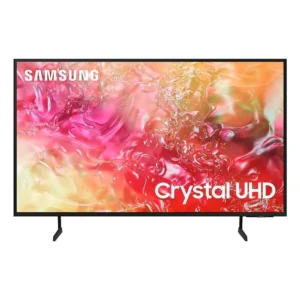
Samsung Tizen: Powering millions of Samsung displays. It’s built for speed and works beautifully with the SmartThings ecosystem. In 2026, Samsung now provides 7 years of Tizen updates, ensuring your “secret OS” doesn’t age out overnight.
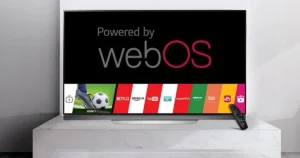
LG webOS: Famous for the “Magic Remote” and its clean interface. It is often cited as the most user-friendly but has a more curated (read: smaller) app store.
The Tizen Advantage (Samsung)
Tizen is a Linux-based OS backed by the Linux Foundation. Because Samsung controls the silicon (the processor) and the code, Tizen is exceptionally “lean.” In 2026, Samsung’s big move is the 7-Year Update Promise, making Tizen the most future-proof “Secret OS” on the market.
The webOS Pivot (LG)
Originally a smartphone OS for Palm, webOS was built for multitasking. It uses a web-app framework, which is why its menus feel like browsing a very fast website. It excels in Point-and-Click interaction thanks to the gyroscopic Magic Remote.
2. The “Secret” Layers: How They Make Money
The part manufacturers don’t advertise is ACR (Automatic Content Recognition). This is a background service built into the OS kernel that “watches” what you watch.
How it works: Every second, the OS takes a tiny digital “fingerprint” of the pixels on your screen.
The Goal: It identifies shows, commercials, and even video games to build a profile for advertisers.
ADVERTISEMENTThe Result: By 2026, CTV (Connected TV) ad spending is projected to hit nearly $30 billion, largely fueled by the data collected by these secret background processes.
3. Professional Fixes for OS Failure
When these complex systems fail, standard troubleshooting often isn’t enough. Here are the pro-level fixes for the most common 2026 system bugs.
The “Memory Leak” Fix
Bug: After weeks without a full restart, the TV becomes laggy and apps crash. Fix: Perform a Cold Boot.
Samsung: Hold the remote Power button for 5+ seconds until the logo appears.
LG/Google TV: Unplug for 60 seconds. This flushes the System RAM and kills “zombie processes” that are eating CPU cycles.
The “Network Stall” Fix
Bug: The TV shows “Connected” but apps won’t load content. Fix: Manually set the DNS (Domain Name System).
Instead of letting the TV use your ISP’s slow DNS, go to Network Settings and manually enter 8.8.8.8 (Google) or 1.1.1.1 (Cloudflare). This often cuts app load times by 20-30%.
The “Service Menu” (Warning: Experts Only)
Most TVs have a hidden “Service Menu” used by technicians to calibrate panels or reset deep firmware bugs.
Samsung Shortcut: While off, press
Mute>1>8>2>Power.Note: Changing values here can “brick” your TV. Use it only for factory resets or checking the panel’s total hours of use.
4. The 2026 Trend: The “AI-Hub”
In 2026, the OS is evolving from a mere app-launcher into an IoT Hub. Your TV’s OS now manages your Matter-compatible smart lights, thermostats, and security cameras. Samsung’s SmartThings and LG’s ThinQ AI are leading this charge, turning the “Secret OS” into the brain of the entire house.
In 2026, the “Secret OS” has evolved from a simple app-launcher into a high-powered AI Engine. The major players (Google, Samsung, and LG) have shifted their focus from “more pixels” to “more intelligence.”
Here is the professional comparison of the AI capabilities powering the big three operating systems this year.
2026 AI Feature Comparison: The “Brain” Wars
| Feature | Google TV (Gemini) | Samsung Tizen (Vision AI) | LG webOS (Affectionate AI) |
| Primary AI | Gemini 3 Flash / Nano | Vision AI Companion (VAC) | α11 AI Processor Gen3 |
| Visuals | Generative “Nano Banana” Wallpapers | AI OptiScreen (Projector Auto-Fit) | Dual Super Upscaling |
| Audio | Natural Language Audio Tweaks | AI Sound Controller Pro | virtual 11.1.2 Surround |
| Smart Home | Google Home / Matter | SmartThings / Family Hub | Zero Labor Home / Home Hub |
| Killer App | Deep Dives (Interactive Docs) | Video-to-Recipe Conversion | AI Concierge & Chatbot |
The “best” AI is no longer a one-size-fits-all answer; it depends on whether you want a Creative Assistant, a Home Manager, or a Cinematic Expert.
Based on the latest industry data from CES 2026, here is how the “Big Three” stack up:
1. Google TV (Gemini AI): The Best for Search & Content Creation
Google has the edge if you want a TV that “thinks” and “creates” like a computer.
Why it’s better: It’s the only OS that uses Multimodal AI (Gemini 3). You can search your Google Photos by voice (“Show me the graduation photos from last year”) and use Nano Banana to generate custom AI art for your screensaver.
Best Feature: Natural Language Settings.2 You can literally tell the TV, “I can’t hear the actors,” and it will automatically adjust the Clear Voice and Mid-range frequencies without you touching a menu.
2. Samsung Tizen (Vision AI): The Best for Smart Home & Productivity
Samsung wins if your TV is the “brain” of your entire house.
Why it’s better: It is built on a Multi-Agent platform.4 It doesn’t just use one AI; it pulls from Microsoft Copilot for research and Perplexity AI for real-time answers.5 It has the best ecosystem integration with over 430 million SmartThings devices.
Best Feature: AI Soccer Mode Pro.7 For the 2026 World Cup, this AI identifies the ball and players separately from the background to apply ultra-fast motion smoothing only where it’s needed, preventing “soap opera effect” on the rest of the image.
3. LG webOS (Affectionate AI): The Best for Pure Picture Quality
LG is the winner for purists who want the AI to work invisibly in the background to make the screen look perfect.
Why it’s better: Their α11 AI Processor Gen3 uses “Dual Super Upscaling.”8 While other TVs upscale the whole frame, LG’s AI analyzes the “intent” of the scene—sharpening faces and textures while keeping cinematic grain in the background.
Best Feature: AI Picture Wizard. Instead of complex sliders, the TV shows you a series of images and asks which you prefer. It then builds a custom deep-learning profile unique to your eyes.
In 2026, we don’t just buy TVs anymore; we buy massive, glowing tablets that happen to hang on our walls. Most people think they are interacting with a “Sony” or a “TCL,” but the truth is that the screen you stare at for four hours a night is likely running a “Secret OS”—a specialized version of Linux that has quietly conquered the global living room.
Whether it’s Google TV, Samsung’s Tizen, or LG’s webOS, these platforms are the invisible gatekeepers of your entertainment. They decide which apps you see first, how fast your remote responds, and—more importantly—how much of your data is being harvested to fuel the next generation of AI recommendations.
The Big Three: Who Really Owns Your Living Room?
While there are dozens of TV brands, the “brain” inside them usually comes from one of three places.
1. Google TV (The “Android” of TVs)
This is the most common OS, found on Sony, TCL, Hisense, and Philips. Because it is built on the Android kernel, it has the largest app store in the world. In 2026, it is heavily integrated with Gemini AI, meaning your TV doesn’t just show you movies; it tries to “understand” your mood and suggest content accordingly.
The Vibe: Highly customizable, but prone to “bloatware” and slowing down over time.
2. Samsung Tizen (The Global Scale Leader)
Samsung is the world’s largest TV manufacturer, and every single one of their screens runs Tizen. It is incredibly fast because it is “lightweight.” Unlike Google, Samsung builds the hardware and the software, meaning they can optimize every bit of code to squeeze performance out of the processor.
The Vibe: Extremely snappy, great for gamers, but can feel a bit “locked down.”
3. LG webOS (The Design Darling)
Originally designed for Palm smartphones decades ago, webOS was bought by LG and turned into a TV interface. It’s famous for its “Magic Remote” (which acts like a Wii pointer) and its clean, card-based navigation.
The Vibe: The most user-friendly for non-techies, but the app selection is more curated and limited.

The “Ghost in the Machine”: Common 2026 TV Bugs
Even with the arrival of AI-driven interfaces, TVs still suffer from classic technical hiccups. Here are the most common “bugs” reported by users today:
1. The “Infinite Buffer” (Wi-Fi Drops)
You have high-speed internet, yet your TV acts like it’s on dial-up. This is often a DHCP conflict where the TV and your router forget how to talk to each other. In 2026, this is frequently caused by interference from “ambient computing” devices or smart wearables in the room.
2. The “App Freeze”
You click an app, and nothing happens. Or worse, the screen goes black, but the audio continues. This is usually caused by cache bloat—temporary files that the OS fails to delete, eventually choking the TV’s limited RAM.
3. The “Zombie Remote”
Your remote is laggy, or the voice assistant (Google, Bixby, or ThinQ) stops responding. This is often a Bluetooth pairing desync caused by too many connected devices (like soundbars and game controllers) competing for the same signal.
The “Master Fix”: The 2026 Troubleshooting Guide
Most TV issues don’t require a technician. They require a “Cold Boot” or a few hidden setting tweaks.
The “Cold Boot” (The Universal Reset)
This is not the same as turning the TV off with the remote (which just puts it in standby).
Samsung: Hold the Power button on your remote until the TV turns off and then flashes the “Samsung” logo as it turns back on.
Other Brands: Unplug the TV from the wall for 60 seconds. This drains the residual electrical charge from the mainboard and clears the system RAM.
Advanced Fixes for Specific OS Bugs
Google TV Speed Boost: Unlock “Developer Options” by clicking the Build Number seven times in Settings. Change “Window animation scale” to 0.5x. This makes the menus feel twice as fast.
ADVERTISEMENTLG webOS Self-Care: Use the “Memory Optimizer” found in the OLED Care or Device Self-Care menus. It kills background processes that the OS forgot to close.
Samsung Tizen Optimization: Turn off “Intelligent Mode” and “Voice Wake-up” if you don’t use them. These features run constantly in the background, eating up processing power.
The “Nuclear” Option: Factory Reset
If your TV is freezing daily, a software update likely corrupted a system file. A Factory Reset (under Settings > System > About) will wipe everything. It’s a pain to log back into your apps, but it’s the only way to “clean the slate” after a bad firmware update.
Pro Tip: The “External Brain” Strategy
If your TV’s built-in OS is driving you crazy, many enthusiasts are now moving to external streaming boxes like the Apple TV 4K or Nvidia Shield. By using these, your TV becomes a “dumb display,” leaving the heavy lifting to a much faster, dedicated processor that receives more frequent updates than the TV manufacturer usually provides.
Here is a comprehensive checklist and maintenance schedule to keep your Smart TV running like it just came out of the box.
The “New TV” Maintenance Schedule
| Frequency | Task | Why? |
| Weekly | Dust the Vents | Prevents overheating and “thermal throttling” of the CPU. |
| Monthly | Clear App Caches | Deletes temporary junk files that slow down menu navigation. |
| Monthly | Check for Updates | Manufacturers push “stability patches” that fix known OS bugs. |
| Quarterly | The “Unplug Reset” | Drains residual power and refreshes system RAM entirely. |
| Yearly | Remote Health Check | Replace batteries and clean sensors to prevent laggy input. |
To master your Smart TV at a professional level, you need to look past the menus and understand the Kernel and Hardware Abstraction Layer (HAL). In 2026, Smart TVs aren’t just displays; they are complex Linux-based computers with high-performance demands.
Here is the “Pro” technical breakdown of the OS architecture, the deep-seated bugs, and the engineering-level fixes.
1. The Architecture: The “Invisible” Layers
Most modern TVs (Android/Google TV, Tizen, webOS) operate on a layered Linux architecture. Understanding this helps you pinpoint exactly where a “bug” is living.
The Linux Kernel: The foundation. It manages CPU cycles, RAM allocation, and security permissions. When the kernel crashes, the TV “reboots” or “boot loops.”
The HAL (Hardware Abstraction Layer): This is the bridge. It translates the OS’s generic commands (e.g., “Play 4K Video”) into specific electrical signals for the unique SoC (System on Chip) in your TV.
The Application Framework: This is where the “Smart” happens. It handles the UI, voice recognition (Gemini/Bixby), and app execution.
2. Deep Technical Bugs & Their Engineering Fixes
Bug A: Kernel Memory Leaks (The “Slow Crawl”)
The Symptom: After 48 hours of uptime, the UI becomes “stuttery,” and apps take 10+ seconds to launch.
The Technical Cause: A background process (often a poorly optimized ad-tracking service or a system-level driver) is failing to release RAM after use. In Linux terms, it’s a Memory Leak.
The Pro Fix: 1. Android TV: Use the dumpsys meminfo command via ADB (Android Debug Bridge) to find the offending PID (Process ID).
2. Permanent Fix: Enable “Background Process Limit” in Developer Options to “Standard” or “2 processes.” This forces the kernel to be more aggressive with its Out-of-Memory (OOM) Killer daemon, terminating leaky background apps before they choke the system.
Bug B: DHCP Lease “Stall” (The Wi-Fi Ghost)
The Symptom: The TV says “Connected, No Internet” even though other devices work fine.
The Technical Cause: The TV’s network stack fails to renew its IP lease from the router, or the DNS resolver in the TV’s OS has crashed.
The Pro Fix: 1. Static Mapping: Do not use DHCP. Manually assign a Static IP to the TV’s MAC address in your router.
2. DNS Hard-Coding: Manually set the TV’s DNS to 1.1.1.1 (Cloudflare) or 8.8.8.8 (Google). This bypasses the often-flaky carrier DNS that TV OSs sometimes struggle to parse.
Bug C: Thermal Throttling (The “Black Screen” Crash)
The Symptom: After 2 hours of HDR gaming or 8K streaming, the TV suddenly turns off or the app crashes to the home screen.
The Technical Cause: The SoC temperature has hit its T-junction limit (usually around 85°C – 95°C). The OS triggers a “Kernel Panic” or a safety shutdown to prevent hardware damage.
The Pro Fix: 1. Physical: Clear the dust from the bottom and back intake vents.
2. Software: Disable “AI Picture Upscaling” or “Motion Smoothing” (MEMC). These features utilize the NPU (Neural Processing Unit) heavily, which generates the most heat.
3. Professional “Recovery Mode” Procedures
If the OS is so corrupted that it won’t boot (Stuck on Logo), you must bypass the UI entirely.
| OS Platform | Accessing “The Backdoor” (Recovery Mode) |
| Google/Android TV | Unplug TV. Hold Power + Volume Down buttons on the chassis. Plug back in. Release when the “No Command” Android bot appears. |
| Samsung Tizen | While TV is in Standby, press Mute > 1 > 8 > 2 > Power on the physical remote in rapid succession to enter the “Service Menu.” |
| LG webOS | Unplug TV. Hold the Joystick/Power button underneath the panel. Plug in. Keep holding for 15s until the boot sequence overrides. |
4. The “Final Boss” Fix: Force Firmware Sideload
Sometimes a “bug” is actually a corrupted sector in the eMMC (internal flash storage).
The Pro Move: Download the “Image” or “Full Firmware” file from the manufacturer’s Support page (not the “Update” file).
The Execution: Format a USB to FAT32. Rename the file to the specific trigger name (e.g.,
upgrade.msdorMstarUpgrade.bin). Insert the USB into the Service Port (usually marked USB 1 or Service). Power the TV on while holding the manual power button to force a “Hardware-Level Re-flash.”
To monitor your Smart TV’s performance at a professional level, you can use ADB (Android Debug Bridge) to get real-time data on how the “Secret OS” is handling its resources. This is essential for diagnosing why a specific app might be causing the system to stutter or overheat.
Step 1: Establishing the Connection
Before running performance commands, you must connect your laptop to the TV.
Enable Wireless Debugging: Go to Settings > System > Developer Options and toggle Wireless Debugging to ON. Note the IP address and Port (e.g.,
192.168.1.15:5555).Connect via Terminal: On your computer, open your terminal and type:
adb connect 192.168.1.15:5555
Verify: Type
adb devicesto ensure your TV is listed as “device.”
Step 2: Pro Monitoring Commands
Once connected, use these commands to pull live performance metrics:
A. The “Top” Command (Live CPU/RAM Feed)
This is the most powerful tool for seeing exactly which process is “hogging” the CPU in real-time.
Command:
adb shell top -m 10 -d 1What it does: Shows the top 10 most intensive processes, refreshing every 1 second.
Pro Tip: Look at the %CPU and RES (Resident Memory) columns. If an app like
com.netflix.ninjais taking up 90% CPU while idling, you’ve found your bug.
B. Detailed Memory Breakdown
If your TV feels sluggish, it’s often due to “fragmented RAM.”
Command:
adb shell dumpsys meminfoWhat it does: Provides a comprehensive dump of how every megabyte of RAM is being used by the system.
The Fix: If “Free RAM” is below 100MB, the OS will start “swapping,” which causes severe lag. Use
adb shell am force-stop [package.name]to kill the heavy hitters.
C. CPU Load History
To see how the TV has been performing over the last few minutes (useful if a crash just happened):
Command:
adb shell dumpsys cpuinfoWhat it does: Shows the average CPU load and which services have been active recently.
Step 3: Analyzing the Data
When you run these commands, keep an eye on these specific indicators:
System Server: If
system_serveris high, the OS itself is struggling (often due to a bad firmware update).SurfaceFlinger: This manages the screen’s graphics. If this is high, the TV is struggling to render the UI, possibly due to a high-resolution wallpaper or 4K interface elements.
I/O Wait (io): If you see high “wait” times, the internal eMMC storage is slow or failing, which is common in older budget TVs.
Quick Command Reference Table
| Goal | ADB Command |
| Check CPU Usage | adb shell dumpsys cpuinfo |
| List Running Apps | adb shell ps -A |
| Kill a Buggy App | adb shell am force-stop [package.name] |
| Capture System Logs | adb logcat -d > tv_logs.txt |
| Reboot to Recovery | adb reboot recovery |
The Final Verdict: Which should you choose?
| If you want… | The Winner is… |
| A Personal Assistant (Searching photos, generating art, asking complex questions) | Google TV |
| A Home Hub (Managing appliances, tracking health, sports optimization) | Samsung Tizen |
| A Cinema Experience (Invisible upscaling, personalized color, ease of use) | LG webOS |







There is definately a lot to find out about this subject. I like all the points you made
I just like the helpful information you provide in your articles
There is definately a lot to find out about this subject. I like all the points you made
naturally like your web site however you need to take a look at the spelling on several of your posts. A number of them are rife with spelling problems and I find it very bothersome to tell the truth on the other hand I will surely come again again.
Thank you so much highlighting mistakes. Sure will improve
Awesome! Its genuinely remarkable post, I have got much clear idea regarding from this post
Thi is a great article no doubt about it, i just started following you and i enjoy reading this piece. Do you post often ? we have similar post on the german best freelancer platform called https://webdesignfreelancerdeutschland.de/ you can check it out if you want. Thank you